ConvertOption's free SVG to PNG converter tool is all you need for a fast, simple and effortless SVG to PNG conversion.
Choose files or drag and drop files
Maximum file size 10 MB. Sign Up free for 100 MB limit + unlimited conversions.
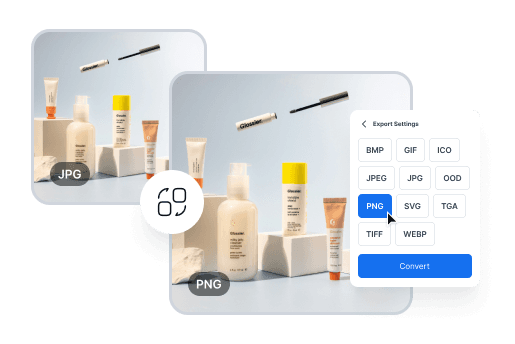
Effortless Image Conversion for Designers
Easily convert between image formats like JPG, PNG, and TIFF to meet design requirements. Perfect for creating web, print, and presentation-ready visuals in minutes.
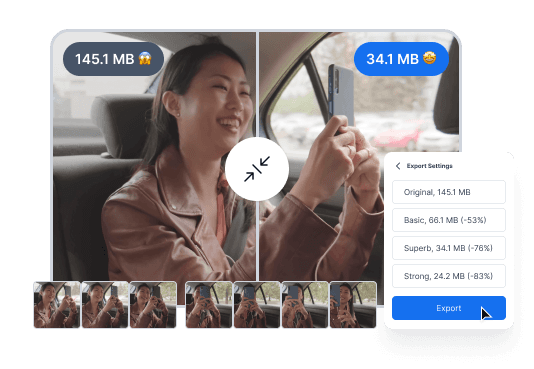
Convert Videos for Seamless Sharing
Quickly convert videos into more manageable formats for easy sharing or uploading, without compromising quality. Perfect for content creators and marketers who need to share or upload videos efficiently.
Simple Steps to Convert Your Files Effortlessly
Drag and drop your file, or click to upload from your device.
Select the output format from our wide range of options.
Click convert, then download your newly formatted file in seconds.
Experience Fast, Free, and Reliable File Conversion

ConvertOption uses the latest technologies so that you can get lightning-fast conversions and save precious time.
This free online tool has a simple and intuitive design that guarantees you a frictionless user experience.
Upload multiple files and then convert them at once. This can save you lots of time and effort than if you had to convert these one after the other.
The best thing about ConvertOption: it is fully browser based. That means you don't have to install any software to enjoy its great tools.
Convert images, videos, and documents just with the click of a button. ConvertOption offers specialized tools for each category.
We can't store or see your files as they are processed directly in your browser - no uploads to our server.
Easily convert images to popular formats like JPG, PNG, GIF, HEIC, and WEBP – fast, secure, and fully browser-based.
An SVG file is a lightweight vector image. You can scale it to any size without losing quality. This makes it ideal for graphics with simple colors like logos, icons, and illustrations on websites. These can be transparent, animated or interactive.
A PNG file (Portable Network Graphics) is a popular image format that uses lossless compression and supports transparent backgrounds. It’s ideal graphics or images using complex colors. Although it retains high-quality, PNG files have larger size than HEIC.
SVG stands for Scalable Vector Graphics.
You can use ConvertOption's SVG to PNG online converter. It's FREE, fast, and reliable.
It is best to use multiple image formats on your website for different images. SVG is a great choice for logos, icons, and simple graphics because it loads faster and stays sharp on all screens. Use PNG when you need detailed images or photos with rich colors and textures.
You can use different online and offline free svg to png file converter tools. ConvertOption is a great choice. It is absolutely free, has lightning fast speed, reliable when it comes to safety and converts almost every format there is. Please try it now if you haven't yet!
You might convert an SVG to PNG when you need a fixed-size image that displays consistently across all platforms. PNG is better for complex artwork, social media uploads, or situations where vector support is limited.
You will find many good SVG converters these days. And ConvertOption may just be the best among them. Being biased? A little may be, but let us make the case. ConvertOption's SVG converter is free, fast, and absolutely secure. It is online so you do not need to download or install anything. Just convert anytime anywhere.
It depends on your purpose of use. SVG lets you scale images infinitely without any damage to quality so it works better for logos, icons and graphics with simple colors. But if you have graphics with complex colors, PNG will be a better format for it.
You can convert files upto 10MB in a jiffy anytime when using a free account. However, if you want to convert files larger than 10MB, we offer very affordable plans for that. Please explore our pricing plans and select the one that suits your needs. Remember, you can stop the sub any time!

You need to convert and download at least 1 file to provide feedback!
Start your 7-day free trial and get unlimited access to all ConvertOption tools to convert, compress, OCR, web apps and more.

 En
En