Wondering how to convert heic to jpg? Use ConvertOption HEIC to JPG converter. This free image converter transforms files easily and effortlessly.

Choose files or drag and drop files
Maximum file size 10 MB. Sign Up free for 100 MB limit + unlimited conversions.
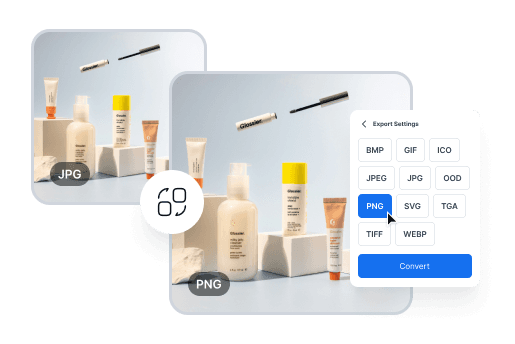
Effortless Image Conversion for Designers
Easily convert between image formats like JPG, PNG, and TIFF to meet design requirements. Perfect for creating web, print, and presentation-ready visuals in minutes.
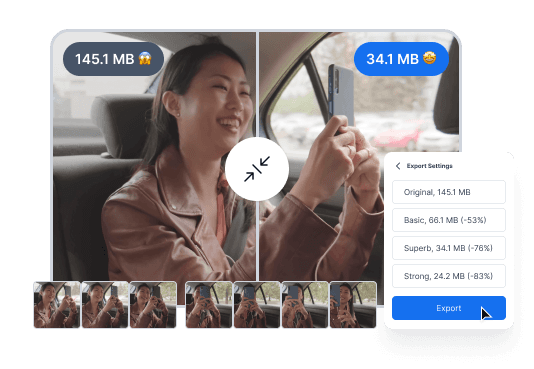
Convert Videos for Seamless Sharing
Quickly convert videos into more manageable formats for easy sharing or uploading, without compromising quality. Perfect for content creators and marketers who need to share or upload videos efficiently.
Simple Steps to Convert Your Files Effortlessly
Drag and drop your file, or click to upload from your device.

Select the output format from our wide range of options.

Click convert, then download your newly formatted file in seconds.
Experience Fast, Free, and Reliable File Conversion

ConvertOption uses the latest technologies so that you can get lightning-fast conversions and save precious time.

This free online tool has a simple and intuitive design that guarantees you a frictionless user experience.
Upload multiple files and then convert them at once. This can save you lots of time and effort than if you had to convert these one after the other.
The best thing about ConvertOption: it is fully browser based. That means you don't have to install any software to enjoy its great tools.
Convert images, videos, and documents just with the click of a button. ConvertOption offers specialized tools for each category.

We can't store or see your files as they are processed directly in your browser - no uploads to our server.
Easily convert images to popular formats like JPG, PNG, GIF, HEIC, and WEBP – fast, secure, and fully browser-based.
HEIC (High-Efficiency Image Container) is a modern image format invented by the MPEG group in 2015. It was adopted by Apple to store high-quality photos in smaller file sizes in 2017 for iOS 11. Perfect for saving space while keeping your images crisp and clear!
JPG, short for JPEG (Joint Photographic Experts Group), was made in 1992 by the Joint Photographic Experts Group. It compresses photos without much quality loss and is widely used for everything from cameras, phones, social media, to websites.
With ConvertOption’s HEIC to JPG converter free, converting your images is a breeze! It’s 100% free, lightning-fast, and completely secure. Just select your HEIC files, hit convert, and done! Your JPGs are ready in seconds.
Because JPG works everywhere! Converting HEIC to JPG ensures your photos are viewable, shareable, and editable on any device, software, or website. It’s perfect for social media, online uploads, editing, and even printing. No special tools needed, just seamless compatibility!
Yes! Converting HEIC to JPG can slightly reduce quality, but with the right tool, the loss can be minimal. With our HEIC to JPG converter, you can preserve your image’s clarity and colors while quickly turning your photos into JPGs.
Using our HEIC to JPG converter, you can convert up to 100 files per month with a maximum size of 100 MB each, completely free! No credit card needed! But if you need more, explore our premium tiers on the pricing page for higher limits and even faster conversions.
With ConvertOption, converting HEIC to JPG on Mac is super easy! Just select your files, click convert, and done. Your HEIC to JPG Mac conversion is fast, secure, and hassle-free. No downloads or installations required. Quick, reliable, and ready in seconds!
Converting HEIC to JPG on iPhone is effortless with ConvertOption! Just select your HEIC images, click convert, and voilà! No fuss, you don't even have to install anything. Your JPG images are ready in a blink. Fast, efficient, and perfect for all your iPhone photos!
With ConvertOption, you can convert HEIC to JPG quickly and for free on any device: Windows, Android, iOS, Linux, you name it! No software installation or credit card needed. Just upload your HEIC files, click convert, and instantly get high-quality JPG images effortlessly!
You can convert HEIC to JPG on Windows 11 effortlessly with our HEIC to JPG converter free. Simply upload your files, click convert, and get your images instantly. Fast, secure, and even batch conversion is available for free.

You need to convert and download at least 1 file to provide feedback!
Start your 7-day free trial and get unlimited access to all ConvertOption tools to convert, compress, OCR, web apps and more.


 En
En